(Englisch Version below)
Hey Leute,ich geb euch mal eine Übersicht der Neuerungen in v.2.0.7 und v2.0.8.
Hier geht’s zum Changelog
Hier geht’s direkt zum Download
Zuerst aber: Warum direkt die v2.0.8?
Weil es nicht weniger wird und wir stets fleißig sind  Aber Spaß beiseite…
Bei der v2.0.7 ist uns (mir) ein Fehler unterlaufen, was die digitalen Temperatursensoren angeht. Der Pin über den die Daten kommen wurde im Core Pro geändert, entsprechend habe ich das in der config.txt (wird beim Startvorgang geladen mit einigen Einstellungen für den RPI) angepasst.
Problem dabei ist nur leider, dass das dann auf dem normalen Core und den älteren Boards nicht mehr funktioniert.
Deswegen hat die v2.0.8 eine kleine aber feine Änderung bekommen: 10s nachdem Node-RED gestartet hat wird überprüft um welches Board es sich handelt und dementsprechend wird in der config.txt angepasst.
Für den Core steht dann da: dtoverlay=w1-gpio
Für den Core Pro: dtoverlay=w1-gpio,gpiopin=20
Gleichzeitig überprüfen wir noch die vorhanden hci devices (Bluetooth Adapter), sollten zwei gefunden werden (intern und extern), dann wird der interne automatische deaktiviert. Ist keiner da, wird der interne wieder aktiviert. Und ist wird nur ein Adapter gefunden passiert einfach nichts.
Sollte die config.txt in diesem Zuge geändert worden sein, wird automatisch ein Neustart eingeleitet um die Änderungen zu laden. Da also bitte nicht wundern. Beim nächsten Neustart sollte aber alles passen (außer es sind Bluetooth Adapter dazu- oder weggekommen), sodass kein extra Neustart erfolgt.
Ihr könnt die config.txt prüfen über SSH mit cat /boot/firmware/config.txt oder im Dashboard unter Debug > RPI Informationen gibt es einen neuen Button, welcher euch ebenfalls die aktuelle config anzeigt.
Um das Ganze zu bewerkstelligen wird jetzt aber bei einem Update die config.txt wieder vom Server geladen, solltet ihr also selber darin etwas geändert haben müsst ihr das vorher speichern und danach wieder einfügen. Hier bitte aufpassen bei der Zeile der Act-LED wenn ihr auf dem blauen Board unterwegs seit, Im Zweifel gibt euch dann ein Relay einen Herzschlag-Rythmus vor. Die config.txt kann bei einem neuen Image schon auf einem anderen Rechner, mit dem ihr die SD-Karte flasht, angepasst werden, ihr könnt die Zeile einfach auskommentieren.
Die weiteren Neuerungen (zusammengefasst für v2.0.7 und v2.0.8):
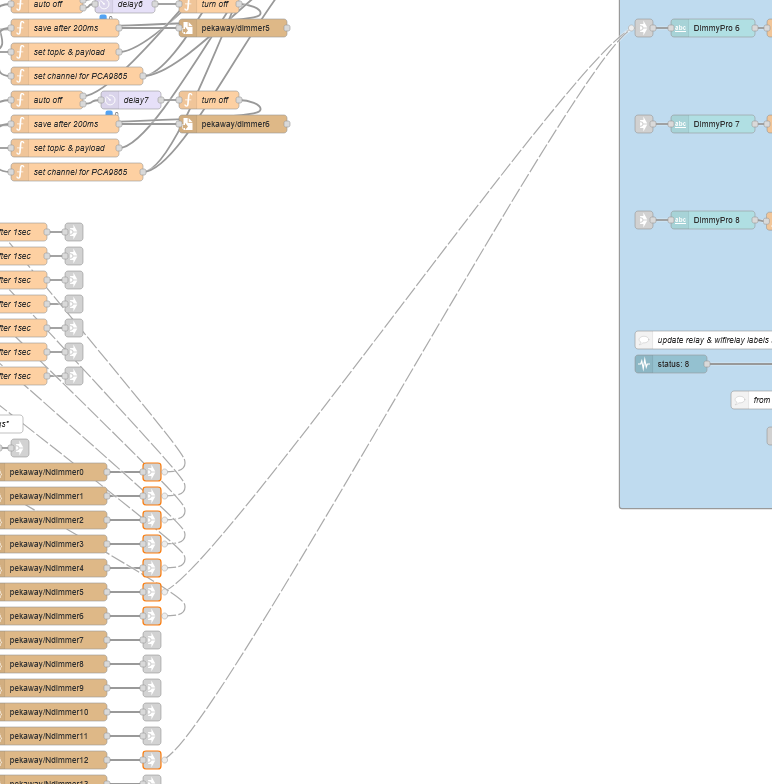
- Einbindung von In-Out-X (Relay- und Inputerweiterung) und DimmyPro (Dimmererweiterung und RGBW-Channel) inkl. entsprechende Anpassungen für Display, Bridge und App
- Truma Combi Heater über CI-Bus, ebenfalls überall angepasst
- Eine neue Binary ci2mqtt stellt die Daten für den CI-Bus über MQTT zur Verfügung (vorerst nur Core Pro), aktuell ist dort nur die Truma implementiert. Eine Anleitung zu Steuerungesmöglichkeiten der Truma über MQTT findet ihr hier. Es gibt zudem eine .env Datei in der ihr ein paar Einstellungen vornehmen könnt, zum Beispiel den MQTT broker ändern, direkt zu Home-Assistant per MQTT pushen und direkt daraus steuern etc. Es ist aber bereits alles fertig implementiert, das richtet sich eher an die Bastler, falls ihr Anpassungen vornehmen wollt.
- Ansonsten gab es ein paar kleinere Bugfixes und die neuen Debug Optionen, wie oben schon angesprochen.
Bitte denkt dran, dass die App, das Display und die LTE-Bridge auf dem neusten Stand sein müssen, um den vollen Funktionsumfang nutzen zu können.
Aktuelle Versionsnummern:
VANPI OS: v2.0.8
App: v1.0.8(17)
Touchdisplay: v2.0.4
LTE-Bridge: v0.1.5
English Version:
Hey everyone, here’s an overview of the changes in v2.0.7 and v2.0.8.
Here’s the Changelog
Here’s the direct download link
First of all: Why go straight to v2.0.8?
Since the list never gets shorter and we keep pushing forward but to be serious for a moment…
In v2.0.7 I made a mistake regarding the digital temperature sensors. The pin through which the data is received was changed on the Core Pro, so I adjusted this in the config.txt (which is loaded during the boot process along with some settings for the RPI).
The problem, however, is that this no longer works on the regular Core and older boards.
That’s why v2.0.8 got a small but important change: 10 seconds after Node-RED has started, the system checks which board is being used and adjusts the config.txt accordingly.
For the Core it then says:
dtoverlay=w1-gpio
For the Core Pro:
dtoverlay=w1-gpio,gpiopin=20
At the same time, we also check the available hci devices (Bluetooth adapters). If two are found (internal and external), the internal one is automatically disabled. If none is present, the internal one is re-enabled. And if only one adapter is found, nothing happens.
If the config.txt is changed during this process, a restart is triggered automatically to load the changes. So don’t be surprised. On the next restart everything should be fine (unless Bluetooth adapters were added or removed), so no extra restart is required.
You can check the config.txt via SSH with
cat /boot/firmware/config.txt
or in the Dashboard under Debug > RPI Information, where there is a new button that also shows you the current config.
To make this work, the config.txt is now reloaded from the server during an update. So if you’ve made manual changes to it, you must save them beforehand and reinsert them afterwards. Pay attention to the Act-LED line if you are using the blue board. If in doubt, a relay will then give you a heartbeat rhythm. The config.txt can already be adjusted on another computer when flashing the SD card for a new image — you can simply comment out the line.
Further changes (combined for v2.0.7 and v2.0.8):
- Integration of In-Out-X (relay and input extension) and DimmyPro (dimmer extension and RGBW channel), including adjustments for Display, Bridge, and App
- Truma Combi Heater via CI-Bus, also adapted everywhere
- A new binary
ci2mqttprovides CI-Bus data via MQTT (for now only Core Pro). Currently only the Truma is implemented. A guide to the Truma MQTT control can be found here. There is also a.envfile where you can make a few settings, for example change the MQTT broker, push directly to Home Assistant via MQTT and control from there, etc. But everything is already implemented out of the box, this is more for tinkerers if you want to make adjustments. - A few smaller bugfixes and new debug options, as mentioned above.
Please remember that the App, the Display, and the LTE-Bridge must be up to date in order to use the full functionality.
Current Versionnumbers:
VANPI OS: v2.0.8
App: v1.0.8(17)
Touchdisplay: v2.0.4
LTE-Bridge: v0.1.5